Resilient FastAPI Connections to Serverless Postgres with SQLAlchemy
10 min read
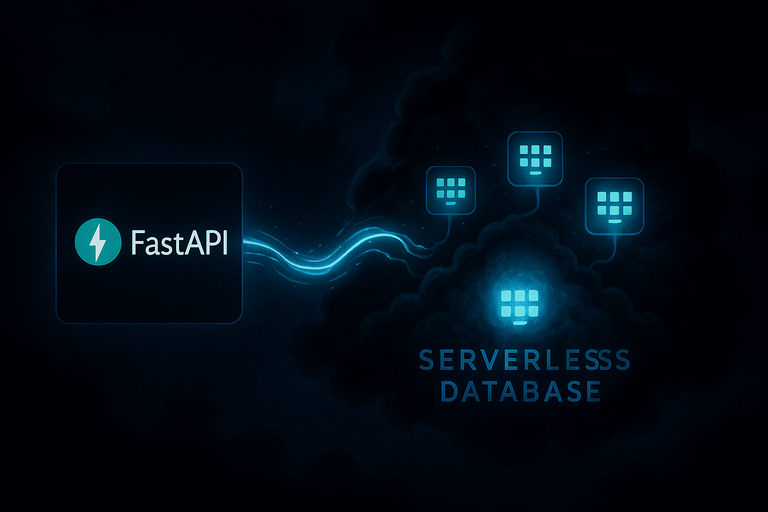
Serverless databases like Neon can scale down to zero when not in use. That’s great for saving money, but it means your app might hit a sleeping database and get a broken connection. If you’re running a serverless application like FastAPI on Google Cloud Run, this is a common problem that needs a reliable solution.
There are two primary strategies for managing connections to a serverless database with SQLAlchemy, depending on where you want to manage the connection pool:
- Application-Side Pooling: Your FastAPI application manages its own pool of connections. This is useful when your database does not offer a built-in pooler.
- External Connection Pooling: You use a dedicated, external pooler provided by your database service (like Neon's). This is the recommended approach for most serverless applications.
This guide will explain both strategies, compare them, and show you why using an external pooler with SQLAlchemy's NullPool is the more scalable and efficient choice for production.
Strategy 1: Application-Side Pooling with `QueuePool` and `pool_pre_ping`
This strategy is best suited for scenarios where you have disabled connection pooling on your database service and are using a direct connection string. In this setup, your application is responsible for maintaining a pool of database connections using SQLAlchemy's default QueuePool.
The challenge here is that a connection in the pool can become "stale" if the serverless database goes to sleep. When your app tries to use this stale connection, it will fail.
The solution is pool_pre_ping=True. This setting tells SQLAlchemy to run a simple query (like SELECT 1) to test the connection before handing it to your application. This is known as pessimistic disconnect handling. If the test fails, SQLAlchemy discards the stale connection and establishes a new one.
Example: Setting Up the Engine with `QueuePool` and `pool_pre_ping`
from sqlmodel import Session, create_engine # Use the DIRECT connection string from Neon SQLALCHEMY_DATABASE_URL = "postgresql+psycopg2://user:pass@ep-plain-grass-78787.us-east-2.aws.neon.tech/dbname?sslmode=require" engine = create_engine( SQLALCHEMY_DATABASE_URL, pool_pre_ping=True, # Checks connection before use )
Tuning the Application-Side Pool
When using QueuePool, you can control its behavior with two key parameters in create_engine:
pool_size: The number of connections to keep persistently in the pool. Defaults to 5.max_overflow: The number of additional connections that can be opened beyondpool_size. Defaults to 10.
For example, to configure a pool with 10 persistent connections and an overflow of 20:
engine = create_engine(
    SQLALCHEMY_DATABASE_URL,
    pool_pre_ping=True,
    pool_size=10,
    max_overflow=20,
)
This allows your application to handle up to 30 concurrent database operations.
While effective, this approach has a downside: each check adds a small amount of latency to your database queries. More importantly, it doesn't scale well, as you are limited by the database's direct connection limit (around 839 for Neon).
Strategy 2 (Recommended): External Pooling with `NullPool`
Modern serverless databases like Neon offer a built-in connection pooler, often powered by PgBouncer. This is the recommended approach for most use cases, especially for serverless applications.
Neon's pooler can handle up to 10,000 concurrent connections, far exceeding the limit of direct connections. It efficiently manages a pool of connections to the database, handing them out to clients as needed. You can read more in the official Neon documentation on connection pooling.
When using an external pooler, the best practice is to disable SQLAlchemy's own pooling. Why? Because you don't want two pooling mechanisms competing with each other. Your application should simply ask for a connection when it needs one and close it immediately after, letting the external pooler handle the complex work of managing a persistent pool.
This is achieved by using NullPool in SQLAlchemy.
What is `NullPool`?
NullPool is a "no-op" pool. It doesn't hold onto any connections. When your application requests a connection, it opens a new one. When the application is done, it closes it.
This sounds inefficient, but when combined with an external pooler like PgBouncer, it's extremely fast. The "opening" and "closing" of connections from your app's perspective are just lightweight operations managed by the pooler, which maintains the actual, persistent connections to the database.
To get the correct pooled connection string, enable the Connection pooling option in your Neon project's connection details.

Example: Setting Up the Engine with `NullPool`
from sqlalchemy import create_engine
from sqlalchemy.pool import NullPool

# IMPORTANT: Use the POOLED connection string from Neon, which includes "-pooler" in the hostname.
SQLALCHEMY_DATABASE_URL = "postgresql+psycopg2://user:pass@ep-plain-grass-78787-pooler.us-east-2.aws.neon.tech/dbname?sslmode=require"

engine = create_engine(
    SQLALCHEMY_DATABASE_URL,
    poolclass=NullPool,  # Disable SQLAlchemy's pooling
)
This setup delegates all connection management to Neon's highly optimized pooler, making your application more scalable, resilient, and efficient.
Important Considerations for Pooled Connections
Because Neon's pooler uses PgBouncer in transaction mode, some session-level features are not supported. This is because each transaction might be served by a different underlying database connection from the pool.
You should use a direct connection string (Strategy 1) for:
- Schema Migrations: Tools like Alembic often require a persistent connection and session state to perform migrations correctly.
- Session-level
SETstatements: Settings likeSET search_pathwill not persist across transactions. If you encounter arelation does not existerror, this is a likely cause. pg_dumpoperations: These tools rely on session-level features that are incompatible with transaction pooling.
For regular application queries, these limitations are generally not an issue.
Comparison: `QueuePool` vs. `NullPool`
Final Thoughts
While managing a connection pool within your application using SQLAlchemy's QueuePool is a valid strategy, it's not the optimal solution for modern serverless architectures. The need for pool_pre_ping highlights the inherent challenges of managing long-lived connections in an environment where resources can sleep or disappear.
For a serverless application on Cloud Run connecting to a serverless database like Neon, delegating connection management to Neon's dedicated pooler is the more scalable and efficient approach. By configuring your SQLAlchemy engine with NullPool and the correct pooled connection string, you leverage the power of a dedicated, high-performance connection pooler, allowing your application to scale gracefully without worrying about connection limits or stale connections.
About the Author
About the Author
David Muraya is a Solutions Architect specializing in Python, FastAPI, and Cloud Infrastructure. He is passionate about building scalable, production-ready applications and sharing his knowledge with the developer community. You can connect with him on LinkedIn.
Related Blog Posts
Related Blog Posts
Enjoyed this blog post? Check out these related posts!
Connecting FastAPI to a Database with SQLModel
A practical guide to building CRUD APIs with FastAPI and SQLModel.
Read More...

Reusable Model Fields in SQLModel with Mixins
A Guide to Creating DRY Database Models with Timestamps and Base Models.
Read More...
FastAPI CLI: The Simple Way to Run Your FastAPI Applications
Simplify Running Your FastAPI Applications with the Official FastAPI CLI
Read More...

Blocked by CORS in FastAPI? Here's How to Fix It
Solving Cross-Origin Errors Between Your Frontend and FastAPI
Read More...
On this page
On this page
Back to Blogs
Contact Me
Contact Me
Have a project in mind? Send me an email at hello@davidmuraya.com and let's bring your ideas to life. I am always available for exciting discussions.