Add Client-Side Search to Your Reflex Blog with MiniSearch
15 min read
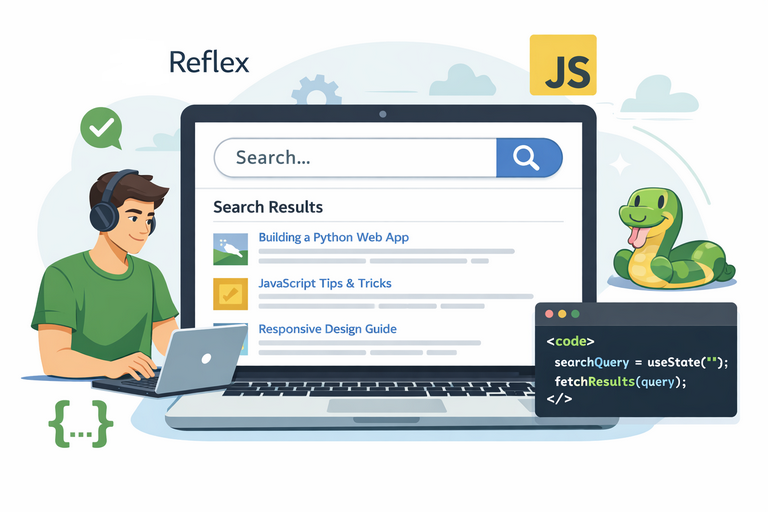
By David Muraya • December 20, 2025
Build fast, offline-capable search for your blog without a backend or external API. Learn how to integrate MiniSearch into Reflex for fuzzy search across your content.
Why Client-Side Search?
Server-side search adds complexity. You need a search backend, handle rate limits, and deal with network latency. For a blog with a few hundred articles, client-side search is simpler and faster.
MiniSearch runs entirely in the browser. It loads your content once, builds an index in memory, and searches instantly. No server requests after the initial page load.
What You'll Build
A search dialog that:
- Searches across blog posts, static pages, and tags
- Shows results as you type with 300ms debouncing
- Displays result count and search time
- Works offline once loaded
- Handles fuzzy matching for typos

Prerequisites
- A Reflex application
- Blog content stored in Python (dictionary, database, or files)
- Basic understanding of JavaScript integration in Reflex (see how to render Markdown in Reflex for another integration example)
Step 1: Generate a Search Index
Your blog data lives in Python. MiniSearch runs in JavaScript. You need a JSON file that bridges them. If you're storing blog content as Markdown files, check out how to render Markdown to HTML in Reflex first.
Create generate_search_index.py in your project root:
import json import os import sys import time sys.path.insert(0, os.path.abspath(os.path.dirname(__file__))) from app.views.blog.blogs import blogs def generate_index(): """Generates the search_index.json file from the blogs dictionary.""" start = time.perf_counter() search_data = [] # Static pages static_pages = [ { "title": "About Me - David Muraya", "summary": "16 years in business and data analytics...", "link": "/#about-section", "content": "Full project lifecycle, discovery, requirement gathering...", "tags": ["about", "experience", "analytics", "developer", "API"], }, { "title": "Projects - David Muraya", "summary": "Side projects including Katanasa Payments...", "link": "/#projects-section", "content": "Katanasa Payments, DecodeHash, Fast Download Video...", "tags": ["projects", "portfolio", "fastapi", "google cloud"], }, ] for i, page in enumerate(static_pages): page_data = { "id": i, "title": page["title"], "summary": page["summary"], "link": page["link"], "content": page["content"], "tags": page["tags"], } search_data.append(page_data) # Blog posts blog_list = list(blogs.values()) start_id = len(search_data) for i, blog in enumerate(blog_list): search_data.append( { "id": start_id + i, "title": blog.get("title", ""), "summary": blog.get("summary", ""), "link": blog.get("link", ""), "content": "", "tags": blog.get("tags", []), } ) output_path = os.path.join("assets", "search_index.json") os.makedirs(os.path.dirname(output_path), exist_ok=True) with open(output_path, "w") as f: json.dump(search_data, f, indent=2) elapsed = time.perf_counter() - start print( f"Successfully generated {output_path} with {len(search_data)} entries in {elapsed:.3f} seconds." ) if __name__ == "__main__": generate_index()
Run this script during your build process. If you're using Docker, add it to your Dockerfile:
# Generate the search index from the blog data
RUN python generate_search_index.py
This creates assets/search_index.json with all your blog posts as searchable data. For a complete Docker deployment setup, see how to deploy a Reflex frontend with Caddy.
Step 2: Create the Search Logic
Create minisearch.js with the MiniSearch initialization and search function:
let miniSearch;

// Initialize Minisearch with the loaded data
window.initializeMinisearch = function (data) {
  miniSearch = new MiniSearch({
    fields: ["title", "summary", "content", "tags"], // Fields to index
    storeFields: ["title", "summary", "link"], // Fields to return with results
    searchOptions: {
      boost: { title: 2, summary: 1.5, tags: 1.2 }, // Boost title, summary, and tag matches
      fuzzy: 0.2,
      prefix: true,
      combineWith: "AND",
    },
  });

  // Add all documents to the index
  miniSearch.addAll(data);
};

// Search function
window.searchBlog = function (searchQuery) {
  if (!miniSearch || !searchQuery || searchQuery.trim() === "") {
    return [];
  }

  try {
    // Perform the search using default options
    const results = miniSearch.search(searchQuery);

    // Transform results to the format expected by the frontend
    return results.map((result) => ({
      title: result.title ?? "",
      summary: result.summary ?? (result.content ? result.content.slice(0, 200) : ""),
      link: result.link ?? "#",
      score: typeof result.score === "number" ? 1 - result.score : 0,
    }));
  } catch (error) {
    console.error("Search error:", error);
    return [];
  }
};
The boost values prioritize title matches over summary and tags. Adjust fuzzy: 0.2 for more or less tolerance of typos.
Step 3: Build the Search Component
Create a Reflex component for the search dialog. Let's call the file search.py:
from typing import List, TypedDict

import reflex as rx
from reflex.experimental import ClientStateVar


# Type definitions
class SearchResult(TypedDict):
    title: str
    summary: str
    link: str
    score: float


# Client-side state variables
docs = ClientStateVar.create("docs", default=[], global_ref=True)
query = ClientStateVar.create("query", default="", global_ref=True)
time = ClientStateVar.create("time", default=0, global_ref=True)


def search_input():
    """A debounced search input component."""
    return rx.box(
        rx.icon(tag="search", size=18, color="var(--gray-10)"),
        rx.el.input(
            id="search_input",
            on_change=rx.call_script(
                """
                (function () {
                    if (!window._debouncedSearch) {
                        let timeout;
                        window._debouncedSearch = function () {
                            clearTimeout(timeout);
                            timeout = setTimeout(() => {
                                const inputEl = document.getElementById("search_input");
                                const inputValue = inputEl ? inputEl.value : "";
                                const t0 = performance.now();
                                const results = window.searchBlog(inputValue) || [];
                                const t1 = performance.now();
                                const elapsed = Math.round(t1 - t0);

                                const callSetterWhenReady = (attemptsLeft = 10, delay = 100) => {
                                    if (typeof refs !== "undefined" && typeof refs._client_state_setDocs === "function") {
                                        try { refs._client_state_setDocs(results); } catch (err) {}
                                    } else if (attemptsLeft > 0) {
                                        setTimeout(() => callSetterWhenReady(attemptsLeft - 1, delay), delay);
                                    }
                                    if (typeof refs !== "undefined" && typeof refs._client_state_setQuery === "function") {
                                        try { refs._client_state_setQuery(inputValue); } catch (err) {}
                                    }
                                    if (typeof refs !== "undefined" && typeof refs._client_state_setTime === "function") {
                                        try { refs._client_state_setTime(elapsed); } catch (err) {}
                                    }
                                };
                                callSetterWhenReady();
                            }, 300);
                        };
                    }
                    window._debouncedSearch();
                })();
                """
            ),
            placeholder="Search by title, summary, or tag...",
            width="100%",
            style={"background": "transparent", "border": "none", "outline": "none"},
        ),
        display="flex",
        align_items="center",
        gap="0.5em",
        border="1px solid var(--gray-6)",
        padding="0.5em",
        border_radius="var(--radius-3)",
    )


def search_results_display():
    """Displays the search results."""
    return rx.vstack(
        rx.cond(
            query.value.to(str).strip() != "",
            rx.text(
                rx.cond(
                    docs.value.to(List[SearchResult]).length() == 1,
                    f"1 result found in {time.value.to(float)} ms.",
                    f"{docs.value.to(List[SearchResult]).length()} results found in {time.value.to(float)} ms.",
                ),
                size="2",
                color_scheme="gray",
                margin_bottom="0.5em",
            ),
        ),
        rx.cond(
            query.value.to(str).strip() != "",
            rx.cond(
                docs.value.to(List[SearchResult]).length() > 0,
                rx.foreach(
                    docs.value.to(List[SearchResult]),
                    lambda result: rx.link(
                        rx.vstack(
                            rx.text(result["title"], weight="bold"),
                            rx.text(result["summary"], size="2", color_scheme="gray"),
                            align_items="start",
                            spacing="1",
                        ),
                        href=result["link"],
                        width="100%",
                        style={"text_decoration": "none"},
                    ),
                ),
                rx.text("No results found.", color_scheme="gray"),
            ),
        ),
        align_items="start",
        spacing="4",
        width="100%",
        margin_top="1em",
    )


def search_dialog() -> rx.Component:
    """A dialog component for the search functionality."""
    return rx.dialog.root(
        rx.dialog.trigger(
            rx.hstack(
                rx.icon(tag="search", color="var(--accent-10)"),
                rx.text("Search...", color="var(--accent-10)"),
                align="center",
                spacing="2",
                padding="0.5em 1em",
                border="1px solid var(--gray-6)",
                border_radius="var(--radius-3)",
                width="100%",
                _hover={"cursor": "pointer", "border_color": "var(--accent-9)"},
            )
        ),
        rx.dialog.content(
            rx.dialog.title(
                rx.hstack(
                    rx.icon(tag="text-search", size=24),
                    rx.text("Site Search"),
                    align="center",
                    spacing="2",
                ),
                as_="h2",
            ),
            rx.dialog.description(
                "Search across articles, projects, and more.",
                size="2",
                margin_bottom="1em",
            ),
            search_input(),
            search_results_display(),
            rx.dialog.close(
                rx.icon(
                    tag="x",
                    style={
                        "position": "absolute",
                        "top": "1em",
                        "right": "1em",
                        "cursor": "pointer",
                        "color": "var(--gray-10)",
                    },
                )
            ),
            max_width=["95vw", "90vw", "60vw", "50vw"],
            width="100%",
        ),
    )
This component includes a search input with debouncing and displays results dynamically.
Step 4: Add Search to Your Navbar
Import and include the search_dialog in your navbar component:
import reflex as rx

from app.views.search import search_dialog


def navbar() -> rx.Component:
    """A responsive navbar component."""
    return rx.box(
        rx.hstack(
            rx.link("Home", href="/"),
            rx.link("Blog", href="/blog"),
            rx.spacer(),
            rx.box(
                search_dialog(),
                width=["15em", "20em", "25em"],
            ),
            rx.color_mode.button(),
            align="center",
            width="100%",
        ),
        as_="nav",
        width="100%",
        padding_y="0.5em",
    )
Now your navbar has a search button that opens the search dialog.
Step 5: Load MiniSearch in Your App
Finally, load MiniSearch and initialize it with your search index in your main app file, e.g., app.py:
import reflex as rx

app = rx.App(
    head_components=[
        rx.script(
            src="https://cdn.jsdelivr.net/npm/minisearch@7.1.0/dist/umd/index.min.js"
        ),
        rx.script(src="/minisearch.js"),
        rx.script(
            """
            function waitForMinisearchAndInit(data, attempts = 20) {
                if (typeof window.MiniSearch === "function" && typeof window.initializeMinisearch === "function") {
                    window.initializeMinisearch(data);
                } else if (attempts > 0) {
                    setTimeout(() => waitForMinisearchAndInit(data, attempts - 1), 100);
                } else {
                    console.error("MiniSearch or initializeMinisearch not available after waiting.");
                }
            }

            fetch('/search_index.json')
            .then(response => response.json())
            .then(data => waitForMinisearchAndInit(data));
            """
        ),
    ],
)
This ensures MiniSearch is loaded and initialized with your blog data when the app starts.
How It Works
This implementation is inspired by the Buridan UI MiniSearch integration guide, adapted to work with a blog's static content generation workflow.
- Build time:
generate_search_index.pycreates a JSON file with all searchable content. - Page load: The browser fetches
search_index.jsonand initializes MiniSearch. - User types: The debounced input waits 300ms after the last keystroke.
- Search executes: JavaScript calls
window.searchBlog()which queries MiniSearch. - Results update: The client state variables trigger Reflex to re-render the results.
Performance Considerations
- MiniSearch indexes around 100 blog posts in under 50ms.
- Searches complete in 1–5ms.
- The search index JSON is around 50KB for 100 posts, which gzips down to ~10KB.
- The 300ms debounce prevents excessive searches while typing. Adjust this in the
setTimeoutcall if needed.
Customizing Search Behavior
- Fuzzy matching tolerance: Change
fuzzy: 0.2to a higher value (0.0–1.0) for more lenient typo matching. - Field boosting: Adjust the
boostvalues to prioritize different fields. A boost of 2 means title matches score twice as high as content matches. - Prefix search: Set
prefix: falseif you don't want partial word matching. - Combine mode: Change
combineWith: "OR"to return results matching any search term instead of all terms.
Common Issues
- Search not working: Check the browser console for errors. The most common issue is MiniSearch not loading before initialization. The retry logic in the script should handle this.
- Results not updating: Verify that
ClientStateVarvariables haveglobal_ref=True. Without this, Reflex can't find the state setters. - Slow searches: If you have thousands of documents, consider indexing less content or using pagination for results.
FAQ
Q: Can I use this for non-blog content? Yes. Any content you can represent as JSON with title, summary, and tags will work. Product catalogs, documentation, or portfolios all fit this pattern.
Q: What's the size limit for the search index? MiniSearch handles thousands of documents without issues. A 1000-document index with 200-word summaries is around 500KB uncompressed. That's small enough for most use cases.
Q: Does this work offline? Once the page loads and the search index downloads, search works without a network connection. The entire index lives in browser memory.
Q: How do I add search to specific pages only? Move the search dialog from the navbar to individual page components. The head scripts still need to load globally.
Q: Can I use a database instead of JSON?
You can fetch data from a database in generate_search_index.py. The JSON file is just the output format for the browser.
Q: How do I update the search index?
Re-run generate_search_index.py and redeploy. Users get the new index on their next visit.
Q: What about security? Can users see unpublished content?
Everything in search_index.json is visible to users. Only include public content in the index.
Q: Does this affect SEO? No. Search engines don't execute the JavaScript search. They crawl your actual page content. Client-side search is purely for user experience.
Q: Where can I learn more about MiniSearch? Check the official MiniSearch documentation for advanced features like auto-suggestions, custom tokenizers, and query syntax. The Buridan UI integration guide also provides helpful examples.
Conclusion
Client-side search with MiniSearch gives you fast, offline-capable search without server complexity. It's a good fit for blogs, documentation sites, and small content catalogs.
The code is straightforward: generate a JSON index at build time, load it in the browser, and hook it up to Reflex components with client state variables.
For larger sites with thousands of documents or frequently changing content, consider server-side search with Elasticsearch or Algolia. But for most blogs and small sites, MiniSearch is more than enough.
About the Author
About the Author
David Muraya is a Solutions Architect specializing in Python, FastAPI, and Cloud Infrastructure. He is passionate about building scalable, production-ready applications and sharing his knowledge with the developer community. You can connect with him on LinkedIn.
Related Blog Posts
Related Blog Posts
Enjoyed this blog post? Check out these related posts!

Mastering ERPNext 16 Development: The Complete Guide to Building Custom Apps
Build, Test, Deploy: A Modern CI/CD Pipeline for ERPNext Developers
Read More...
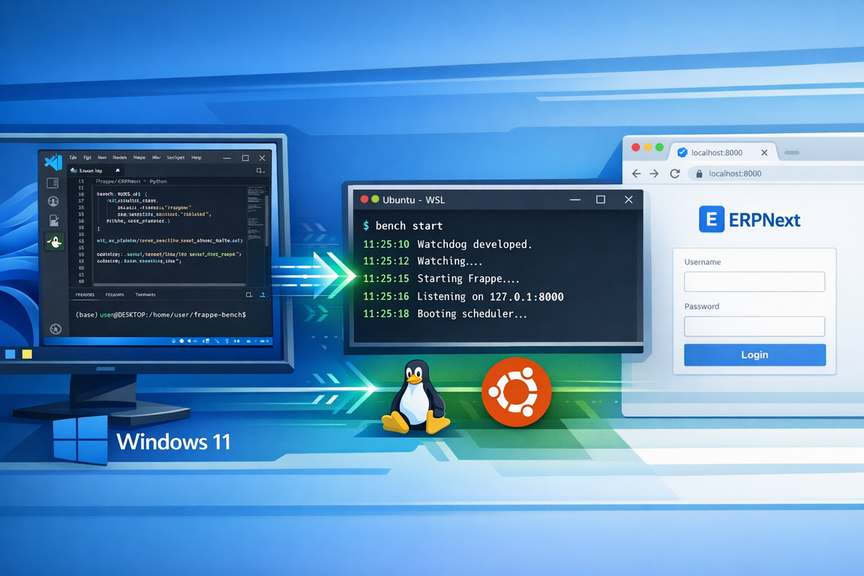
Install ERPNext 16 on Windows (WSL): A Complete Development Guide in 2026
The Ultimate Guide to Building Frappe Apps on Windows with WSL 2, and VS Code
Read More...
How to Install ERPNext on Ubuntu 24 Using Bench
A manual, production-ready guide using UV and Python 3.14
Read More...
Run Python Scripts for Free with GitHub Actions: A Complete Guide
Schedule and Automate Python Scripts Without Managing Servers or Cloud Bills
Read More...
On this page
On this page
Back to Blogs
Contact Me
Contact Me
Have a project in mind? Send me an email at hello@davidmuraya.com and let's bring your ideas to life. I am always available for exciting discussions.